
DE 9 and DE 9C are the two forms every California employer with an EDD payroll tax account must file each quarter and they go together. The DE 9 (Quarterly Contribution Return and Report of Wages) reconciles your total Unemployment Insurance (UI), Employment Training Tax (ETT), State Disability Insurance (SDI), and California Personal Income Tax (PIT) withholding against what you've already deposited. The DE 9C is the companion report that breaks those totals down by employee, listing individual wages and withholding. Both are due on the last day of the month following the close of each calendar quarter, adjusted when that date lands on a weekend or holiday, and both must be submitted even in a quarter with zero payroll.
California requires electronic filing for almost every employer. Unless you hold an approved DE 1245W e-file and e-pay waiver, paper submissions trigger penalties.
- File both DE 9 and DE 9C together, every quarter, no exceptions for a quiet quarter.
- Use EDD's e-Services for Business unless you have a waiver on file.
- Missing the deadline or filing on paper without a waiver risks per-wage-item penalties according to EDD rules.
TL;DR:
- Filing both DE 9 and DE 9C on time each quarter, including zero-wage periods, is essential to avoid steep penalties and ensure compliance.
- Deadlines are fixed quarterly but shift to the next business day if they fall on a weekend or holiday, requiring proactive date tracking.
- Using EDD's e-Services portal is mandatory unless a valid waiver is approved; paper filings without approval incur penalties of $20 per wage item.
- Employers must reconcile DE 9 totals with DE 9C employee details before final submission to prevent common audit errors and penalties.
- Deposit schedule changes based on PIT withholding thresholds happen separately from filing deadlines, so active monitoring helps avoid late deposits.
Table of Contents
- What DE 9 and DE 9C Report, and When They're Due
- Who Must File, and How Deposit Schedules Can Shift
- How Do You File DE 9 and DE 9C Electronically?
- Filing With No Payroll and Correcting Past Returns
- What Penalties Apply, and How Do You Request a Waiver?
- What Are the DE 8300 Technical Requirements for Bulk Filing?
- Key Takeaways
- What Does the DE 9 Filing Process Really Test?
- Sources
What DE 9 and DE 9C Report, and When They're Due
The DE 9 is the summary side of the ledger. It totals the UI, ETT, and SDI contributions owed for the quarter, plus the PIT withheld from employee paychecks, and reconciles those totals against the deposits you've already made. Think of it as the check that makes sure your running deposits and your quarterly obligation match up.
The DE 9C is where the detail lives. For every employee paid during the quarter, it lists gross wages, taxable wages, and PIT withheld. The EDD uses this data to credit UI benefit eligibility and track SDI contributions at the individual level, so accuracy here matters well beyond your own compliance record.
Deadlines follow a fixed quarterly rhythm:
- Q1 (January–March): due April 30
- Q2 (April–June): due July 31
- Q3 (July–September): due October 31
- Q4 (October–December): due January 31
When any of those dates falls on a Saturday, Sunday, or legal holiday, the deadline shifts to the next business day. That shift is easy to miss if you're working off a static calendar reminder set once and forgotten.
One detail catches new payroll administrators off guard: your PIT and SDI withholding deposit schedule (semiweekly, monthly, or quarterly, depending on your withholding volume) runs separately from your DE 9/DE 9C filing schedule. UI and ETT contributions are always reconciled quarterly on the DE 9, regardless of how often you deposit withholding. Filing frequency doesn't change. Deposit frequency can.
Who Must File, and How Deposit Schedules Can Shift
Every employer with an active EDD payroll tax account must file DE 9 and DE 9C each quarter, including businesses that had no employees on payroll and businesses that paid wages for only part of the quarter. There's no minimum wage threshold that exempts you. If the account is open, the filing obligation exists.
- Check your account status in e-Services for Business at the start of each quarter to confirm it's still active.
- Report zero payroll explicitly. If you had no wages, select "No" for payroll when prompted rather than leaving the filing blank or skipping it.
- Watch your PIT withholding total. Once accumulated withholding crosses certain thresholds, the EDD can move you from a quarterly to a monthly deposit schedule, and it may not send an explicit notice when that happens.
- Confirm your current schedule before each deposit rather than assuming last quarter's rules still apply. Our breakdown of payroll tax deposit schedules walks through the thresholds in more detail.
- Close the account if you don't expect to pay wages in the next year, rather than filing zero returns indefinitely.
How Do You File DE 9 and DE 9C Electronically?
EDD's e-Services for Business is the required filing portal for nearly every employer, and it accepts three submission methods depending on your payroll size.
- Enroll in e-Services for Business. Register your employer account online, and if you use a CPA or bookkeeper, set up third-party access so they can file on your behalf without sharing your primary login.
- Choose your submission method. Small employers with a handful of workers often use direct entry, typing wage detail straight into the web form. Mid-size payrolls typically use CSV import to upload a spreadsheet. Larger or multi-state employers use bulk upload in XML, ICESA, or MMREF-1 format.
- Prepare your file correctly. Bulk files must be zipped and stay under a 10 MB size limit; e-Services does not accept PDF wage-report uploads under any circumstance.
- Submit payment. EDD accepts EFT, ACH credit, and Express Pay, and payment submission ties directly to your e-Services filing rather than a separate mail-in process.
- Consult the DE 44 for field-by-field instructions if a line item on either form doesn't match your payroll software's terminology.
Pro Tip: Before you submit a real bulk file for the first time, attach it in e-Services and then cancel the submission. This runs the file through EDD's format validation without actually filing, letting you catch a rejected record type or an encoding error before it costs you a resubmission cycle.
Third-party payroll processors handle this differently depending on scale. Some full-service providers, including options like Palm Beach Payroll Processing Services, integrate the filing step directly into their processing workflow so the employer never touches raw file formats at all.
Filing With No Payroll and Correcting Past Returns
A quarter with no wages still requires a filing. In e-Services, open the DE 9/DE 9C filing screen, answer "No" to the payroll question, and submit. That's the entire obligation for that quarter; there's no separate zero-payroll form.

If you know you won't pay wages again next year, request account closure through e-Services rather than filing empty returns quarter after quarter. Leaving an inactive account open just creates more filing obligations to track.
Mistakes on a previously filed DE 9C, wrong wages, a missing employee, a transposed SSN, get fixed through the DE 9ADJ adjustment process inside e-Services, not by refiling the original form. Gather your original filing confirmation and correct payroll records before starting the adjustment; EDD will ask for both.
- Zero payroll: answer "No" in e-Services and submit as usual.
- Closing an account: request it directly through e-Services, don't just stop filing.
- Corrections: use DE 9ADJ, not a resubmission of the original DE 9C.
- Ignoring an EDD demand letter: you typically get a 15-day window to comply electronically before penalties escalate further.
What Penalties Apply, and How Do You Request a Waiver?
Non-electronic filing without an approved waiver carries a $20-per-wage-item penalty under the DE 8300 electronic filing rules, and that adds up fast on a report covering dozens of employees. Late filing brings separate penalties plus interest, and the two can stack if a paper return also arrives late.
- Per-wage-item penalty: $20 for each wage item reported on paper instead of electronically.
- Late-filing penalty and interest: assessed independently of the electronic filing penalty, and cumulative with it.
- DE 1245W waiver: request this form if you have a legitimate reason you can't file or pay electronically; approval is generally valid for one year.
- Waiver expiration: you must reapply before it lapses, or you're back to mandatory e-filing without protection.
- Good-cause documentation: keep records supporting any hardship claim before contacting the EDD, not after a penalty notice arrives.
What Are the DE 8300 Technical Requirements for Bulk Filing?
If your payroll system generates bulk wage files, DE 8300 sets the formatting rules that determine whether EDD's system accepts or rejects them. These aren't suggestions; a file that violates them bounces, and a bounced file that isn't corrected before the deadline becomes a late filing.
- Files must use ASCII encoding, uppercase text only, with special characters (apostrophes, hyphens in names) stripped or reformatted.
- Accepted formats are XML, ICESA, and MMREF-1; PDF is never accepted for wage report uploads.
- Every file needs the correct required record types in sequence.
| Record type | Purpose |
|---|---|
| Employer record | Identifies the reporting employer account and quarter |
| Employee record | Lists individual wage and withholding detail per worker |
| State total record (RST) | Summarizes state-level totals for reconciliation |
Multi-state employers need to confirm their payroll software generates California-specific record codes rather than a generic multi-state template, since record length and field order vary by state. The most common rejection causes are name-formatting errors, mismatched record codes, and encoding mismatches, none of which show up until you actually attempt submission. Running a cancel-before-final test upload, as noted earlier, catches most of these before they turn into a missed deadline.
Where to Find Official DE 9 Forms and Filing Help
- Download DE 9, DE 9C, DE 44, DE 1245W, and DE 9ADJ directly from EDD's forms library.
- Use EDD's e-Services tutorials for screen-by-screen walkthroughs of each filing method.
- Call the Taxpayer Assistance Center at 1-888-745-3886 for account-specific questions.
- Always confirm form versions on EDD's own site before filing; forms and thresholds update periodically.
A Practical Compliance Checklist Before You File
The audits Glendale Payroll runs turn up the same handful of errors repeatedly: DE 9 totals that don't match the sum of the DE 9C detail, employee names formatted with characters the state system rejects, and wage records missing entirely for a mid-quarter hire. None of these are exotic mistakes. They're the product of rushing the last filing of the quarter.
- Reconcile DE 9 summary totals against DE 9C line-item totals before submitting either.
- Confirm every employee active during the quarter, including one paid a single check, appears in the DE 9C.
- Strip special characters from employee names to match EDD's ASCII requirements.
Pro Tip: Run your reconciliation check at least two business days before the deadline, not the morning it's due. A mismatched total found early is a five-minute fix; found on filing day, it's a missed deadline.
When your internal team is stretched thin or your payroll volume has outgrown a manual process, handing quarterly filing to a dedicated payroll provider removes the per-quarter risk entirely. Our payroll process review guide walks through the same audit steps we use with clients.
Glendale Payroll offers a free compliance audit that checks your last several quarters of DE 9 and DE 9C filings for exactly these errors before they turn into penalty notices.
Glendale Payroll builds every client engagement around avoiding the penalties this article covers, not just filing paperwork on time. Our California payroll compliance guide details how the free audit works, and our team of dedicated payroll professionals, not a call center, reviews your DE 9 and DE 9C history for the mismatches that trigger EDD penalty notices. If you're in Glendale, Burbank, Pasadena, or anywhere in Greater Los Angeles, reach out about our payroll services before your next quarterly deadline rather than after a penalty letter arrives.
Key Takeaways
Filing DE 9 and DE 9C accurately and electronically every quarter, even with zero payroll, is the single requirement that prevents the majority of EDD penalty notices California employers receive.
| Point | Details |
|---|---|
| File both forms together | DE 9 and DE 9C are due the same day each quarter, even if payroll was zero. |
| Watch business-day shifts | Deadlines move to the next business day when the last day of the month falls on a weekend or holiday. |
| E-file unless waived | Non-electronic filing without an approved DE 1245W waiver risks $20 per wage item in penalties. |
| Test bulk uploads first | Attach and cancel a file in e-Services to catch formatting errors before final submission. |
| Reconcile before you submit | Match DE 9 summary totals to DE 9C detail totals to avoid the most common audit finding. |
What Does the DE 9 Filing Process Really Test?
The conventional advice on DE 9 and DE 9C treats them as a paperwork exercise: fill in the boxes, hit submit, move on. That framing misses what actually causes penalties. Almost every enforcement action traces back to a reconciliation gap between the two forms, not a misunderstanding of the rules themselves.
Most employers know the deadlines. Far fewer build a habit of checking that DE 9C employee-level totals actually sum to the DE 9 summary before they file. That single reconciliation step, done consistently, would eliminate a large share of the correction filings and penalty notices we see in client audits.
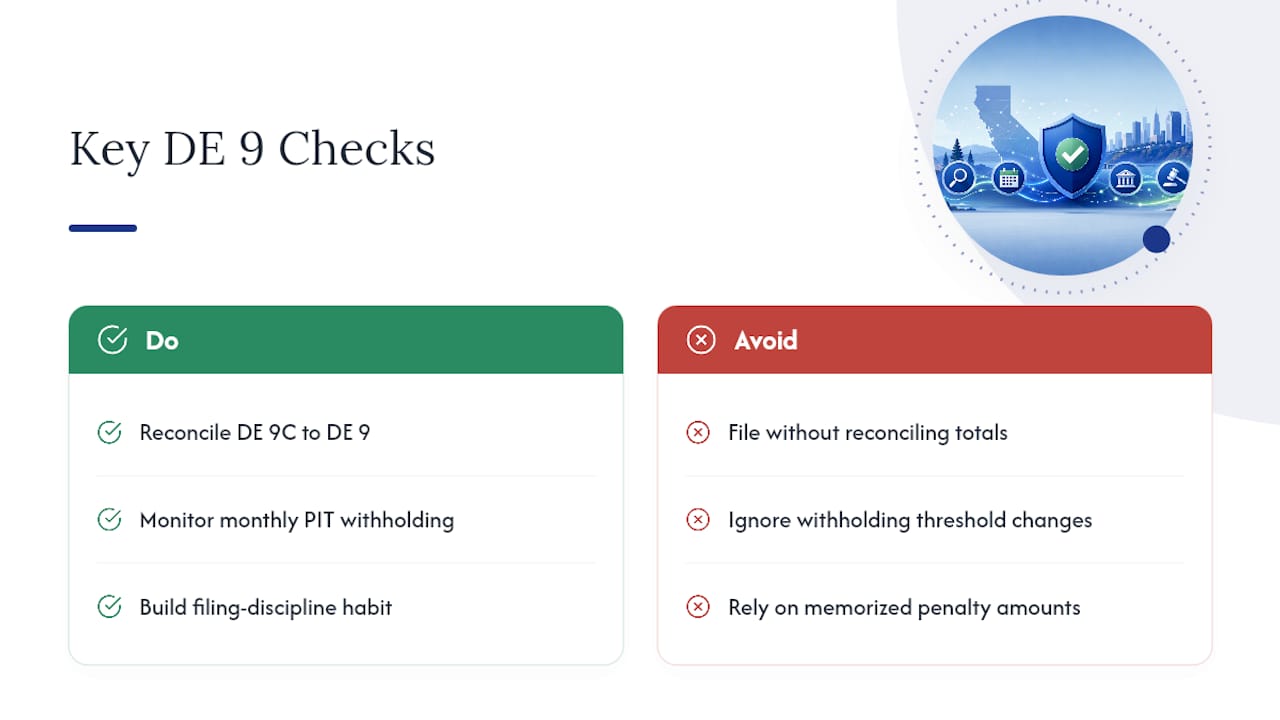
The other blind spot is the PIT withholding threshold that silently bumps your deposit schedule from quarterly to monthly. EDD doesn't always flag it. If nobody on your team is actively watching accumulated withholding each month, you find out about the schedule change when a deposit is already late.
Prioritize the reconciliation habit and the threshold check over memorizing every statutory penalty amount. The forms are procedural. The discipline behind them is what actually protects you.
— Glendale Payroll Staff