
Employee self-service payroll setup is defined as a system that lets employees directly access, view, and update their own payroll data, including tax withholdings, banking details, and pay stubs, without routing every request through HR. The industry term for this is an employee self-service portal, often abbreviated as ESS. 84% of businesses consider employee experience a critical priority, and about 50% are actively investing in new ESS tools to cut repetitive HR tasks. That investment reflects a clear shift: HR teams want to spend less time fielding payroll questions and more time on work that actually requires human judgment. Glendale Payroll works with small businesses across Greater Los Angeles to implement these systems correctly from day one.
What tools do you need for employee self-service payroll setup?
A successful employee self-service payroll setup requires three things before you touch any configuration: the right software, a defined system administrator, and a security framework. Without all three, you risk either a broken workflow or a compliance exposure.
Core tools and prerequisites
Your payroll software must include native ESS features. Not all platforms offer them by default. Look for a system that supports employee-facing portals where workers can view pay stubs, download W-2s, and update withholding allowances without HR involvement.

Authentication is non-negotiable. Two-factor authentication (2FA) and single sign-on (SSO) are the two standards you must configure before granting any employee access. Both protect against unauthorized logins to sensitive payroll records.
Your system administrator handles the technical side of enabling and configuring ESS. This person sets access levels, configures approval workflows, and manages user permissions. Designate this role before setup begins, not after.
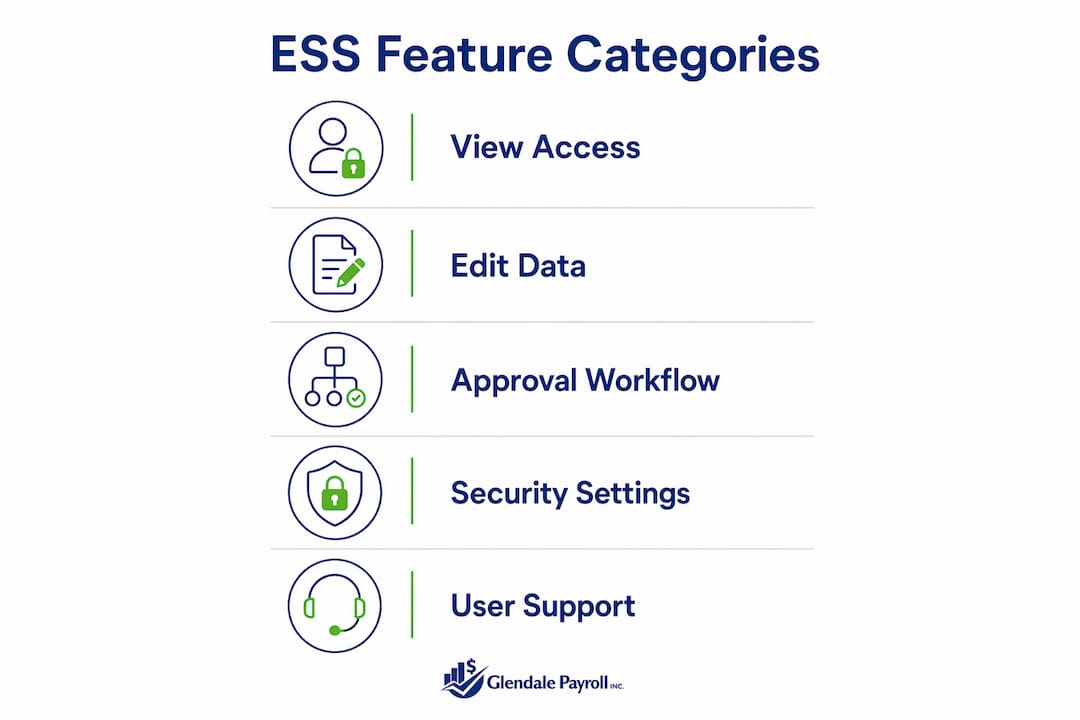
Typical ESS feature categories
| Feature category | What it covers |
|---|---|
| View access | Pay stubs, tax forms, year-to-date earnings |
| Edit rights | Bank account details, tax withholding elections |
| Approval workflows | Manager sign-off required before changes sync |
| Notification settings | Alerts for submitted changes and approvals |
| Security controls | 2FA, SSO, VPN access requirements |
New hire access to payroll portals typically occurs within 10 business days after the first full pay period. That timeline gives your admin enough runway to configure access correctly rather than rushing credentials out the door.
How to set up payroll self-service: step-by-step process
ESS payroll features are off by default in most platforms and require an admin to enable them manually. Follow these steps in order to avoid configuration gaps.
-
Enable ESS in your business settings. Log into your payroll platform as the system administrator. Locate the ESS or employee portal settings, usually found under "Business Settings" or "HR Configuration." Toggle the feature on.
-
Configure view and edit permissions. Decide which data employees can see versus change. Most setups allow employees to view all payroll records but restrict editing to banking details and tax withholding elections. Sensitive fields like salary history should remain read-only for employees.
-
Set up approval workflows for sensitive changes. Any edit to bank account details or tax withholdings should require manager approval before it syncs to payroll. This is a critical internal control. Skipping this step creates a direct path for payroll fraud.
-
Configure notifications. Set up automated alerts so both the employee and the approving manager receive confirmation when a change is submitted and when it is approved or rejected. This creates a paper trail and keeps everyone informed.
-
Communicate the setup to employees. Send a clear, written announcement explaining what the portal does, what employees are responsible for updating, and how to get help. Employees who do not understand the system will default to emailing HR, which defeats the purpose.
-
Distribute access credentials and complete security setup. Provide each employee with login instructions and require them to complete 2FA enrollment before their first login. Do not allow access until authentication is fully configured.
Pro Tip: Run a pilot with a small group of employees before rolling out to your full workforce. This surfaces configuration errors and confusing instructions before they affect everyone.
A common setup mistake is granting access without completing the approval workflow configuration first. If an employee updates their bank account and that change syncs immediately without manager review, you have no control point to catch errors or fraud.
What security and compliance practices protect ESS payroll data?
Security in a self-service payroll system is not optional. Employees are accessing W-2s, Social Security numbers, and bank routing numbers through your portal. A single breach can trigger IRS penalties, state labor board investigations, and employee lawsuits.
Authentication and access controls
Strong authentication is the first line of defense. SSO and 2FA prevent unauthorized access even when login credentials are compromised. Require both for every user, including managers and administrators.
Manager approval workflows for bank and tax changes are a critical internal control to prevent payroll fraud. Without them, a bad actor with portal access can redirect an employee's direct deposit to a different account. Your direct deposit setup process should always route through an approval step.
Termination access policies
Access revocation at termination is one of the most overlooked compliance gaps in ESS management. Employees should download all pay stubs and tax documents before their last day because access is typically revoked automatically. HR should communicate this policy clearly during offboarding.
Policy reminder: Terminated employees who contact HR months later requesting pay stubs or W-2s create significant manual overhead. A clear written policy, communicated at onboarding and again at offboarding, prevents most of these requests.
Here is a compliance checklist for your ESS payroll system:
- Require 2FA for all users before first login
- Set manager approval as required for bank and tax changes
- Restrict salary history and compensation data to read-only
- Revoke access automatically on the employee's termination date
- Maintain an audit trail of all changes, including who made them and when
- Review access permissions quarterly to catch role changes or departures
- Store audit logs for the retention period required by your state, which in California is typically three years
The year-end payroll checklist from Glendale Payroll covers the specific California deadlines that intersect with ESS compliance, including W-2 distribution and withholding reconciliation.
How do you manage employee adoption and ongoing ESS support?
Getting the system configured is only half the work. The other half is making sure employees actually use it correctly. Incorrect banking or tax information entered by an employee creates payroll errors that HR still has to fix manually.
ESS implementation requires internal communication that frames the portal as an employee responsibility, not just a convenience. Employees need to understand that entering the wrong routing number or selecting the wrong withholding status has real consequences for their paycheck.
Pro Tip: Create a one-page reference guide showing employees exactly where to find their pay stubs, how to update their W-4, and who to contact if something looks wrong. Attach it to the portal launch email.
AI-powered chatbots integrated with ESS portals can reduce HR and IT support tickets significantly. The catch is that they only work correctly when the underlying HRIS data is accurate. If your employee records have errors, the chatbot will give employees wrong answers, which creates compliance risk rather than reducing it.
Ongoing management requires these practices:
- Review ESS content and FAQs quarterly to keep instructions current
- Track which support tickets still come through HR after launch, as patterns reveal gaps in employee training
- Send annual reminders to employees to verify their banking and withholding details, especially before year-end
- Build a process for former employees to request tax documents through a dedicated HR contact rather than the portal
ESS reduces HR administrative burdens most effectively when employees treat their portal data as their own responsibility. That mindset shift requires consistent reinforcement, not a one-time announcement.
Key Takeaways
A properly configured employee self-service payroll system reduces HR workload, improves data accuracy, and protects sensitive payroll information when security controls and approval workflows are in place from the start.
| Point | Details |
|---|---|
| Enable ESS intentionally | ESS features are off by default; a system admin must configure access, permissions, and workflows before launch. |
| Require manager approvals | All changes to bank details and tax withholdings must route through manager approval to prevent fraud and errors. |
| Enforce strong authentication | 2FA and SSO are required security standards before any employee accesses payroll data. |
| Communicate termination policies | Employees should download pay documents before their last day, as access is revoked automatically at termination. |
| Invest in employee training | Clear instructions and regular reminders reduce support tickets and prevent payroll errors caused by incorrect self-entered data. |
What I have learned from setting up ESS payroll systems
Glendale Payroll Staff perspective
The most common mistake I see small businesses make is treating ESS as a technology project rather than a process change. They configure the portal, send one email, and assume employees will figure it out. Three weeks later, HR is still answering the same questions about how to find a pay stub.
The approval workflow for bank and tax changes is the single most important configuration decision you will make. I have seen businesses skip it because it adds a step for employees. That shortcut creates a direct fraud risk. One unauthorized bank account change can misdirect an entire payroll run before anyone notices.
Communications also tend to be underestimated. The businesses that get the smoothest ESS rollouts are the ones that treat the launch like an internal product release. They write clear instructions, run a pilot, collect feedback, and update their materials before the full rollout. That extra week of preparation saves months of support requests.
Post-termination access is another area where I consistently see gaps. Former employees calling HR two years after departure to request a W-2 is a real and recurring problem. A written policy communicated at both onboarding and offboarding eliminates most of it. The California compliance guidance from Glendale Payroll covers the specific document retention rules that apply here.
The businesses that get the most value from ESS are the ones that treat it as an ongoing system, not a one-time setup. Regular audits, quarterly access reviews, and annual employee reminders keep the system accurate and compliant over time.
— Glendale Payroll Staff
Glendale Payroll and your self-service payroll needs
Setting up a self-service payroll system correctly requires more than enabling a portal. It requires the right configuration, security controls, and compliance policies working together from day one.
Glendale Payroll supports small businesses across Glendale, Burbank, Pasadena, and Greater Los Angeles with payroll setup, compliance guidance, and ongoing management. Whether you are configuring ESS for the first time or auditing an existing system for gaps, the team at Glendale Payroll brings dedicated payroll professionals, not call center staff, to every engagement. Visit the payroll tips resource for California-specific guidance, or review the full payroll services to see how Glendale Payroll can support your setup from start to finish.
FAQ
What is employee self-service payroll setup?
Employee self-service payroll setup is the process of configuring a payroll portal that lets employees view pay stubs, download tax forms, and update banking or withholding details without HR involvement. It requires admin configuration, security controls, and approval workflows before employees gain access.
How long does ESS payroll setup take for new hires?
New hire access to payroll portals typically occurs within 10 business days after the first full pay period. That window gives administrators time to configure credentials and complete required security steps like 2FA enrollment.
What security measures are required for a self-service payroll system?
Two-factor authentication and single sign-on are the two required security standards for ESS payroll access. Manager approval workflows for bank and tax changes add a second layer of protection against unauthorized modifications.
What happens to ESS access when an employee is terminated?
Access is typically revoked automatically on the employee's termination date. Employees should download all pay stubs and tax documents before their last day, and HR should communicate this policy clearly during offboarding.
Can AI chatbots help manage ESS payroll support?
AI-powered chatbots can reduce HR support tickets when integrated with an ESS portal, but only when the underlying HRIS data is accurate. Inaccurate employee records cause chatbots to deliver incorrect guidance, which creates compliance risk rather than reducing it.