
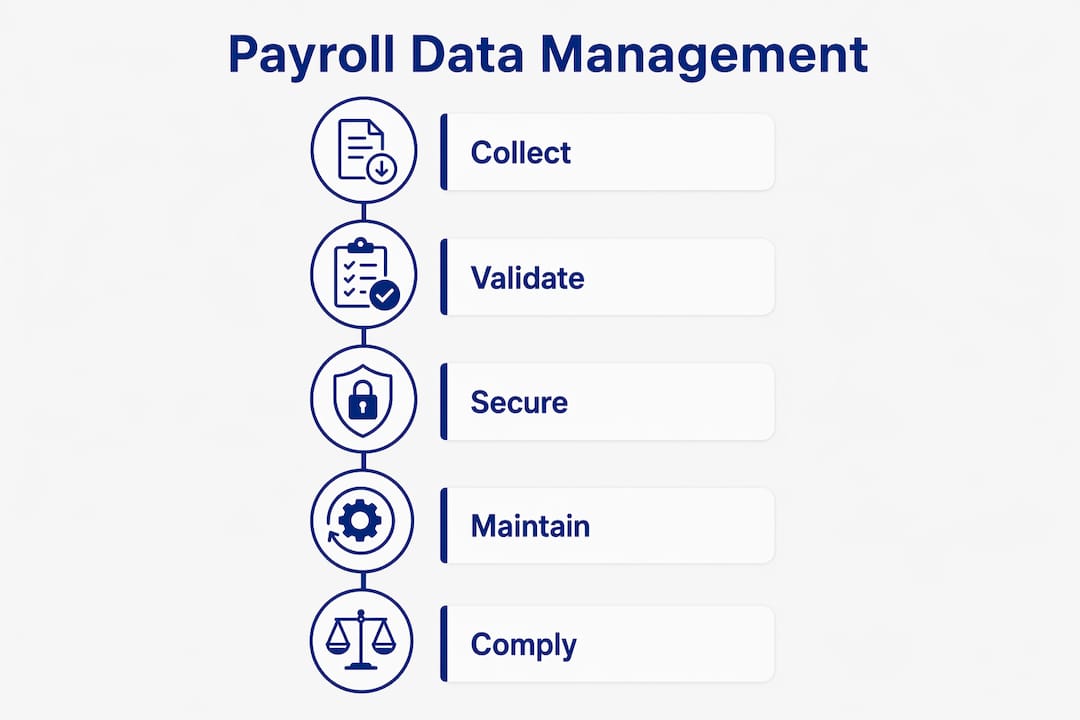
Payroll data management is the systematic process of collecting, validating, securing, and maintaining all employee compensation information to enable accurate, compliant, and efficient payroll processing. For business owners and financial managers, getting this process right is not optional. Errors in payroll data trigger IRS penalties, FLSA violations, and employee disputes that cost far more to fix than to prevent. The core disciplines involved, including data governance, validation workflows, and legal recordkeeping, form the operational backbone of any reliable payroll function.
What is payroll data management and what data does it cover?
Payroll data management covers every category of employee information that feeds into a payroll calculation. Comprehensive payroll data integrates multiple sources, including HRMS platforms, time tracking systems, and accounting software, to produce accurate and complete pay results. Understanding the full scope of that data is the first step toward managing it well.
The core data categories include:
-
Employee identity data: Legal name, Social Security number, address, tax filing status, and W-4 elections
-
Wage and salary components: Base pay, overtime rates, bonuses, commissions, and shift differentials
-
Tax information: Federal and state withholding codes, local tax jurisdictions, and exemption claims
-
Deductions and benefits: Health insurance premiums, 401(k) contributions, garnishments, and FSA elections
-
Time and attendance: Hours worked, paid time off, sick leave balances, and absence records
-
Payment history: Prior pay stubs, year-to-date earnings, and prior tax withholdings
Payroll data is distinct from broader HR data. Performance reviews, disciplinary records, and job descriptions belong to HR. Payroll data is specifically the information that determines what an employee is paid and what taxes are withheld. Automated validations within payroll systems check that each required field is populated and formatted correctly before a payroll run begins. This prevents incomplete records from causing downstream errors.
Pro Tip: Connect your HRMS, time tracking, and payroll platform through direct integrations rather than manual exports. Manual data transfers between systems are the single most common source of payroll input errors.

How should you establish payroll data governance?
Payroll data governance is the set of rules and controls that determine how payroll data is collected, changed, stored, shared, and audited. Governance rules cover the full data lifecycle, from the moment an employee record is created through termination and beyond the final paycheck.
The most effective governance models follow a structured ownership approach:
-
HR owns employee identity and benefits data. HR controls new hire records, status changes, and benefit elections. Any change to these fields requires HR approval before it flows to payroll.
-
Payroll owns wage components and tax settings. The payroll team controls pay rate changes, tax code updates, and deduction configurations. Changes require documented authorization from a manager or HR.
-
Finance owns cost center allocations and general ledger mapping. Finance controls how payroll costs are coded and reported. The CFO or Finance Director holds final accountability for this data layer.
-
Senior leadership holds cross-functional accountability. The Payroll Head, HR Director, and CFO each carry responsibility for their data domain. Shared ownership among HR, payroll, and finance prevents any single team from becoming a bottleneck or a blind spot.
The contrast between ad hoc management and structured governance is stark. Ad hoc management relies on emails, spreadsheets, and verbal approvals. Controlled change workflows with approval routing and audit logs replace that informal process entirely. Every change request is tracked, approved by the right person, and logged with a timestamp. This creates a defensible record if an audit or dispute arises.
Pro Tip: Treat every payroll data change as a formal transaction, not an informal request. Require a written change form or system ticket for every pay rate update, tax code change, or deduction adjustment. This habit alone eliminates most payroll disputes before they start.
What are the best practices for payroll data validation?
Payroll data validation is the process of verifying all input records before a payroll run executes. Validating inputs before processing prevents errors from cascading through calculations and reaching employee paychecks. Validation is not a final review step. It is a gate that payroll data must pass through before any calculations begin.
Effective validation covers these areas:
-
Employee record completeness: Confirm that every active employee has a valid Social Security number, current address, and up-to-date W-4 on file
-
Tax code accuracy: Verify that federal and state withholding codes match current W-4 elections and that no employee is coded to an inactive tax jurisdiction
-
Attendance and hours review: Cross-check time and attendance records against scheduled hours and flag any entries that exceed reasonable thresholds
-
Salary and rate changes: Confirm that all pay rate changes have been formally approved and that the effective date is correct for the current pay period
-
Deduction limits: Check that 401(k) contributions and FSA elections do not exceed IRS annual limits for the current year
-
New hire and termination status: Verify that new hires are active in the system and that terminated employees are flagged correctly so no post-termination payments are issued in error
Early validation through automation reduces compliance violations and payroll errors significantly. Automated validation rules built into platforms like Talenta or similar payroll systems flag anomalies before a human reviewer ever sees the payroll register. This two-layer approach, automated checks followed by human review, catches the widest range of errors.
Pro Tip: Run a parallel validation report one business day before your payroll processing deadline. This gives your team time to investigate and correct flagged items without rushing, which is when approval shortcuts and new errors tend to happen.
What are the legal recordkeeping requirements for payroll data?
Legal recordkeeping is one of the most concrete obligations in payroll data management. Two federal frameworks set the baseline requirements for most employers.
| Regulation | Record Type | Retention Period |
|---|---|---|
| FLSA (29 CFR §516.5) | Payroll records | At least 3 years |
| FLSA (29 CFR §516.6) | Supporting wage and time records | 2 years minimum |
| IRS employment tax rules | Employment tax records | Generally 4 years from payment or due date |
| California state law | Wage statements and time records | 3 years minimum |
When multiple regulations apply, base retention policies on the longest requirement to minimize compliance risk across all frameworks. For most employers, that means keeping employment tax records for at least 4 years and payroll records for at least 3 years, with many California employers retaining all payroll records for 4 years to satisfy both IRS and state requirements simultaneously.
Electronic records are fully acceptable under FLSA, provided they are sortable and retrievable on demand. Storing records in a searchable payroll system is far more practical than paper filing, especially when an EDD audit preparation requires producing specific records quickly. An audit trail must document who changed a record, what was changed, when the change was made, and who approved it. A timestamp alone is not sufficient. Detailed audit trails record the full context of every change, including the approval chain and supporting documentation.
Poor recordkeeping carries real consequences. The IRS can assess back taxes and penalties for any period where records are incomplete. Under the FLSA, inadequate records can shift the burden of proof to the employer in a wage dispute, which is a position no business wants to be in.
Key Takeaways
Payroll data management requires structured governance, pre-processing validation, and legally compliant recordkeeping to protect your business from penalties and payroll errors.
| Point | Details |
|---|---|
| Define data ownership clearly | Assign HR, payroll, and finance each a specific data domain with documented approval authority. |
| Validate before every payroll run | Run automated checks on employee records, tax codes, and hours before calculations begin. |
| Follow the longest retention rule | Keep employment tax records for at least 4 years to satisfy both IRS and FLSA requirements. |
| Use controlled change workflows | Replace email approvals with system-based change requests that generate a full audit log. |
| Secure electronic records | Store payroll records in a searchable system that produces retrievable files on demand for audits. |
What I have learned from years of payroll data work
The most common payroll data failure I see is not a technology problem. It is a governance problem. A business will invest in payroll software and then continue to process pay rate changes through email threads and verbal confirmations. The software cannot protect you if the data going into it is uncontrolled.
The second pattern I see consistently is under-investment in validation. Business owners treat payroll validation as a final proofreading step rather than a structured gate. By the time errors reach the payroll register, they are already embedded in calculations. Moving validation earlier in the cycle, before processing begins, is the single highest-return change most businesses can make.
Technology adoption matters, but culture matters more. Your team needs to understand why controlled workflows exist, not just how to use them. When a payroll coordinator understands that an unlogged pay rate change can create an IRS discrepancy, they treat the approval process differently. Training your team on the “why” behind your governance rules produces better compliance than any software feature alone.
For California employers specifically, the stakes are higher. California’s Labor Code adds state-level recordkeeping obligations on top of federal requirements. Wage statement accuracy, SDI reporting, and UI Tax Rate Schedule compliance all depend on clean, well-governed payroll data. Staying current on California payroll tax updates is not a once-a-year task. It is an ongoing operational discipline.
— Glendale Payroll Staff
How Glendale Payroll supports your payroll data compliance
Glendalepayroll works with business owners and financial managers across Glendale, Burbank, Pasadena, and Greater Los Angeles to build payroll processes that hold up under audit and run without costly errors.
Every client engagement starts with a free payroll audit to identify data gaps, governance weaknesses, and recordkeeping risks before they become penalties. Glendalepayroll’s dedicated payroll professionals, not call center staff, manage your data with the attention it requires. If you are ready to see where your current process stands, the California small business payroll tips resource is a practical starting point. For businesses considering a fully managed solution, the payroll services overview covers what a structured, compliant payroll operation looks like in practice.
FAQ
What is payroll data management?
Payroll data management is the process of collecting, validating, securing, and maintaining all employee compensation information to support accurate and compliant payroll processing. It includes data governance rules, validation workflows, and legal recordkeeping practices.
How long must employers keep payroll records?
The FLSA requires payroll records for at least 3 years and supporting wage records for 2 years. The IRS requires employment tax records for generally 4 years, so most employers retain all payroll records for at least 4 years to cover both requirements.
Who owns payroll data in an organization?
Payroll data ownership is shared among HR, payroll, and finance teams, with each controlling a specific data domain. Senior leaders such as the HR Director, Payroll Head, and CFO hold accountability for their respective areas.
What does payroll data validation involve?
Payroll data validation verifies employee records, tax codes, hours worked, and salary components before a payroll run executes. Automated validation tools flag anomalies early, reducing payment errors and compliance violations.
What is an audit trail in payroll?
An audit trail is a record documenting who changed payroll data, what was changed, when it occurred, and who approved it. A complete audit trail is required for compliance and is the primary defense in an IRS or FLSA audit.