
In California, reporting time pay is wages owed when an employee shows up as scheduled but is sent home early or not put to work at all. You owe half the scheduled shift, with a legally established minimum and maximum number of hours, regardless of how short the actual shift ran. A second required reporting on the same day triggers its own minimum number of hours. Exceptions exist for utility failures, Acts of God, and paid standby arrangements. Employees who aren't paid correctly can file a wage claim with the DLSE.
- Half-day rule: Pay half the scheduled shift.
- Floor: A legally mandated minimum number of hours.
- Ceiling: A legally mandated maximum number of hours.
- Exceptions: Acts of God, utility failure, paid standby.
- Enforcement: DLSE wage claim; wages count toward waiting-time penalties.
Key Takeaways
Reporting time pay is a wage obligation under California's IWC Wage Orders, triggered whenever an employee reports as directed but works less than half their scheduled shift.
| Point | Details |
|---|---|
| The core formula | Pay half the scheduled shift, applying legally established minimum and maximum hour limits. |
| Reporting isn't just physical | Call-ins, check-ins, and required logins can trigger the obligation under Ward v. Tilly's. |
| It's a wage, not a penalty | Murphy v. Kenneth Cole Productions means unpaid reporting time pay can trigger Labor Code §203 waiting-time penalties. |
| Exceptions are narrow | Acts of God, utility failures, and paid standby exclude the obligation; voluntary employee departures don't trigger it. |
| Get an outside review | Glendale Payroll's free payroll audit checks scheduling, pay coding, and final checks for reporting time pay gaps. |
Table of Contents
- What Is Reporting Time Pay in California, and Why Does It Exist?
- Does an Employee Have to Physically Show Up to Trigger Reporting Time Pay?
- How Do You Calculate Reporting Time Pay?
- What Exceptions Let an Employer Avoid Reporting Time Pay?
- How Do Employees File a Claim, and What Can Employers Face?
- A Practical Compliance Checklist for California Payroll Teams
- What We See When We Review Payroll for Small Businesses
- Get a Free Payroll Audit Before a Reporting Time Pay Mistake Costs You
- Sources
What Is Reporting Time Pay in California, and Why Does It Exist?
Reporting time pay comes from Section 5 of the Industrial Welfare Commission Wage Orders, the regulations that govern wages and hours across nearly every California industry. The rule was written to stop employers from scheduling workers, calling them in, and then sending them home with little or no pay for the trip. Without it, an employee could arrange child care, pay for gas, and show up for an eight-hour shift, only to be told after twenty minutes that business is slow.
The DLSE's reporting time pay guidance makes the intent explicit: employees who make themselves available for work at the employer's direction deserve compensation for that availability, not just for hours actually worked.
The California Supreme Court settled a critical classification question in Murphy v. Kenneth Cole Productions: reporting time pay is a wage, not a penalty.
That distinction changes everything about enforcement. Wages carry a longer statute of limitations than penalties under California law, and unpaid wages at termination expose employers to waiting-time penalties under Labor Code Section 203. If your payroll system treats reporting time pay as an afterthought rather than a wage line item, you're carrying more legal exposure than most small business owners realize.
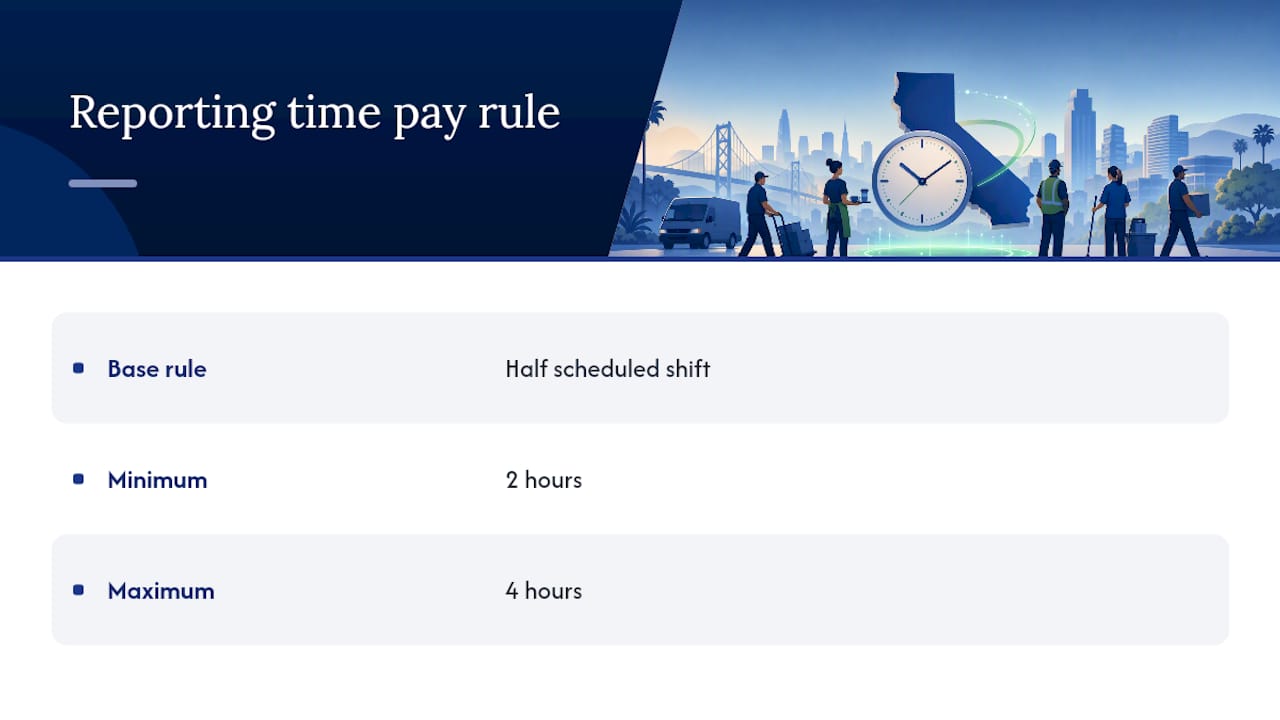
The core numbers: half the scheduled shift, minimum 2 hours, maximum 4 hours. Every calculation in this article builds from that single formula.
Does an Employee Have to Physically Show Up to Trigger Reporting Time Pay?
No. Physical presence at the worksite is not the test. "Reporting for work" means doing whatever the employer directs as the method of reporting, and that can include a phone call, a text, or a login to a scheduling app.
This matters because of Ward v. Tilly's, a California Court of Appeal decision that reshaped how employers think about call-in shifts. The court found that requiring an employee to call in two hours before a shift, only to be told not to come in, can itself count as "reporting for work." The employee complied with the employer's instructions. Whether they walked through the door is beside the point.
Common scenarios that typically trigger reporting time pay:
- An employee shows up for an 8-hour shift and is sent home after one hour.
- An employee is required to call in at a set time and is told, "not today."
- An employee is required to log into a scheduling portal to confirm availability, then isn't given the shift.
- A required staff meeting or training session runs shorter than the promised time, with no other work offered.
Scenarios that generally don't trigger it:
- An employee voluntarily leaves early due to illness or a personal matter.
- An employee is offered the full scheduled shift and simply chooses not to stay.
- A shift is cancelled with reasonable advance notice before any reporting obligation kicks in.
Pro Tip: If your scheduling software or manager text chain requires a "confirm or check-in" step before a shift, treat that step as a reporting trigger. The safest policies confirm shifts the night before and avoid same-day call-in requirements that resemble the pattern struck down in Ward v. Tilly's.
How Do You Calculate Reporting Time Pay?
The formula is simple once you isolate it from the exceptions: pay half the scheduled shift length, never less than 2 hours and never more than 4 hours, at the employee's regular rate.
- Identify the scheduled shift length as stated in the posted schedule or call-in instruction.
- Calculate half that shift.
- Apply the floor and ceiling: if half the shift is under 2 hours, pay 2 hours; if it's over 4 hours, cap the pay at 4 hours.
- Pay at the employee's regular rate of pay for that day, not a reduced or minimum-wage rate.
Here's how the math plays out across common shift lengths, following the same structure used in HRCalifornia's reporting-pay guidance:
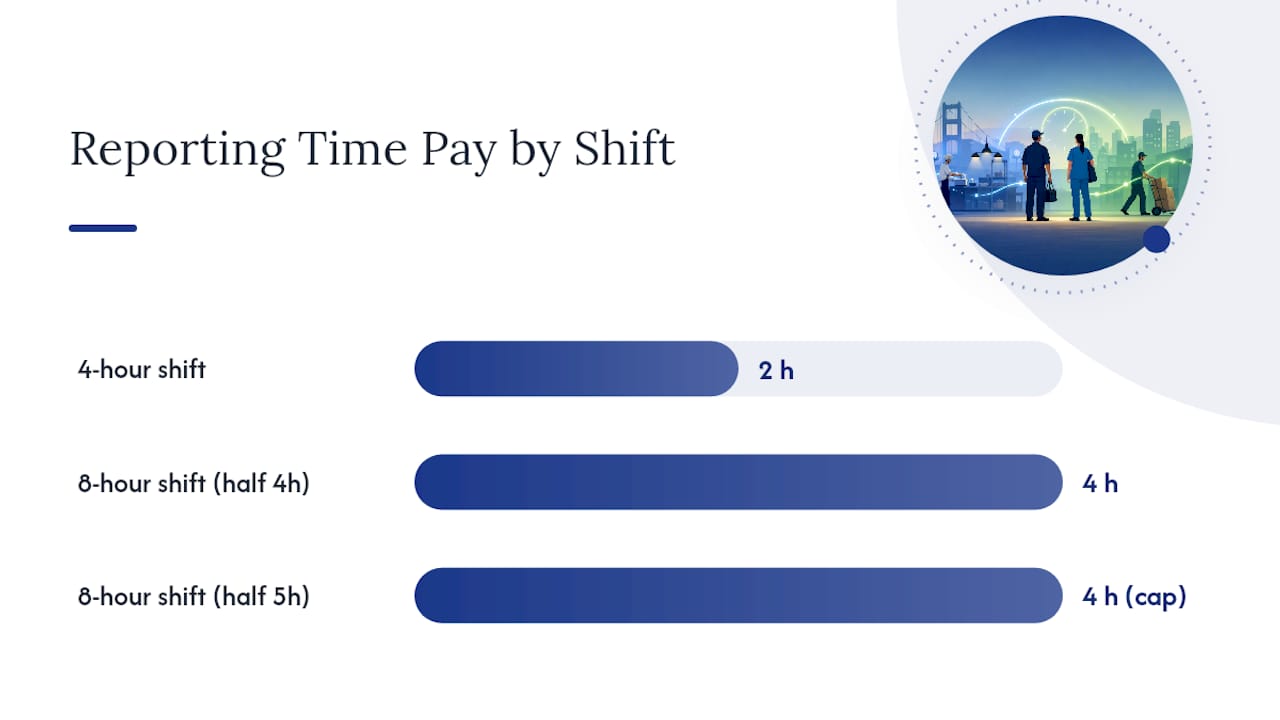
| Scheduled Shift | Half-Day Calculation | Reporting Time Pay Owed |
|---|---|---|
| 4 hours | 2 hours | 2 hours (floor applies) |
| 8 hours | 4 hours | 4 hours |
| 8 hours | 5 hours | 4 hours (ceiling applies) |
A second reporting on the same workday follows its own rule: pay at least half of that second scheduled period, with minimum and maximum hour limits established by the applicable law. If a retail employee is called back for a 4-hour evening shift after already working and being sent home from a morning shift, the evening call-in generates its own 2-hour minimum on top of whatever the first reporting triggered.
Payroll teams should code reporting time pay as a distinct wage line, not folded into regular hours. It counts as wages for withholding and for final-pay calculations under Labor Code Section 203, but it does not count as "hours worked" for overtime purposes since the employee wasn't actually performing labor for the full period paid. Leaving it off a final paycheck is one of the fastest ways to trigger waiting-time penalty exposure.
What Exceptions Let an Employer Avoid Reporting Time Pay?
The wage orders carve out specific situations where reporting time pay doesn't apply, and most disputes come from employers stretching these exceptions too far.
- Public utility failure: If operations can't begin or continue because of a failure in public utilities (a power outage, for instance), reporting time pay isn't owed.
- Acts of God: Earthquakes, floods, and similar events beyond the employer's control excuse the obligation.
- Threats to employees or property: If a civil authority recommends the operation not begin or continue, or there's a genuine threat to safety, the exception applies.
- Paid standby arrangements: Employees on a paid standby status, where they're compensated for availability without needing to report, fall outside the reporting time pay rule entirely.
Where employers get it wrong most often involves sending someone home. If an employer sends an employee home because they lack required safety gear, or because a supervisor decides the employee appears too ill to work, that's an employer-directed decision, and reporting time pay is typically owed. Practitioner guidance from CalChamber draws a clear line here: voluntary departures don't trigger the obligation, but employer-initiated ones usually do.
Required meetings carry their own wrinkle. A mandatory meeting on a day the employee wasn't otherwise scheduled to work can trigger reporting time pay if it runs short of the promised time. Regularly scheduled brief meetings that are part of the normal shift pattern typically don't create the same exposure.
How Do Employees File a Claim, and What Can Employers Face?
Employees who believe they weren't paid correctly have a direct path: file a wage claim with the DLSE.
- Gather documentation — pay stubs, posted schedules, call-in texts or logs, and any written policy on reporting or scheduling.
- File a wage claim through the local DLSE district office, which will schedule a settlement conference or hearing depending on the claim's complexity.
- Attend the conference or hearing, where both sides present evidence and the deputy labor commissioner issues a determination.
- Collect the award or pursue further action if the employer doesn't comply, including civil court enforcement of the DLSE order.
Because Murphy classified reporting time pay as wages, unpaid amounts at termination can trigger waiting-time penalties under Labor Code Section 203: up to 30 days of the employee's daily wage as a penalty, on top of the unpaid amount itself. That penalty clock starts the day after termination if final wages weren't paid in full.
Employers should retain scheduling notices, call-in logs, and payroll records showing how reporting time pay was calculated for at least three years. Employees building a claim should keep their own copies of schedules, text messages about call-ins, and pay stubs, since employer records aren't always complete or accurate.
A Practical Compliance Checklist for California Payroll Teams
Most reporting time pay violations trace back to scheduling and payroll processes that were never built with the rule in mind. Fixing that starts with a few concrete controls.
- Write a clear scheduling policy that specifies how shifts are posted, how call-ins work, and how much notice employees get before a change.
- Avoid same-day call-in requirements where possible; night-before or morning-of confirmations carry less legal risk than a "call two hours before your shift" system.
- Create a distinct pay code for reporting time pay in your payroll system so it's visible on pay stubs and never gets absorbed into regular hours.
- Review final paychecks for terminated employees specifically for unpaid reporting time pay before processing separation, since this is where Labor Code Section 203 exposure concentrates.
- Audit standby and on-call arrangements to confirm they meet the paid standby exception rather than functioning as unpaid call-in shifts.
- Train managers on the difference between voluntary employee departures and employer-directed send-homes, since only the latter reliably triggers the obligation.
Reviewing your payroll process with these controls in mind, and pairing it with automated payroll workflows that flag short shifts automatically, closes most of the gaps that lead to claims. Employers managing sensitive scheduling and payroll records should also look at how those records intersect with California's broader data privacy rules, covered in this CCPA and CPRA compliance guide.
Pro Tip: Run a quarterly audit comparing scheduled hours against actual hours worked. Any shift where an employee worked less than half the scheduled time, and wasn't paid the difference, is a red flag worth investigating before the DLSE finds it first.
What We See When We Review Payroll for Small Businesses
Payroll professionals spot reporting time pay gaps the same way every time: they pull the schedule, pull the time clock data, and look for shifts where actual hours fall well short of scheduled hours with no corresponding pay adjustment. Across small businesses in Glendale and the greater Los Angeles area, the most common error isn't malice. It's a payroll system that only tracks hours worked, with no field for reporting time pay at all.
The fix is rarely complicated. It usually just requires someone who knows to look for it, which is exactly what a compliance audit is built to catch.
— Glendale Payroll Staff
Get a Free Payroll Audit Before a Reporting Time Pay Mistake Costs You
Reading the rules is one thing. Catching every short shift, every call-in that should've been paid, and every final paycheck missing reporting time pay is another job entirely, and it's the job Glendale Payroll does every day for small businesses across Glendale, Burbank, Pasadena, and the greater Los Angeles area.

Glendale Payroll's payroll professionals, not call center staff reading from a script, handle your payroll processing, federal and California state tax filing, wage coding, and final-pay calculations directly. The free payroll audit reviews your scheduling practices, pay codes, and final-check history for exactly the gaps outlined above: missing reporting time pay, miscoded call-in shifts, and waiting-time penalty exposure sitting quietly in your payroll history. You get a specific list of what's at risk, not a generic report.
If you want a full picture of where your business stands, start with the California payroll compliance guide or go straight to scheduling your free audit through Glendale Payroll's services page.
Sources
- Division of Labor Standards Enforcement (DLSE) - Reporting time pay
- California Court of Appeal identifies triggers for reporting time pay obligation - Ogletree
- Reporting Time Pay - HRCalifornia
- Labor Code §203 - Waiting time penalty