
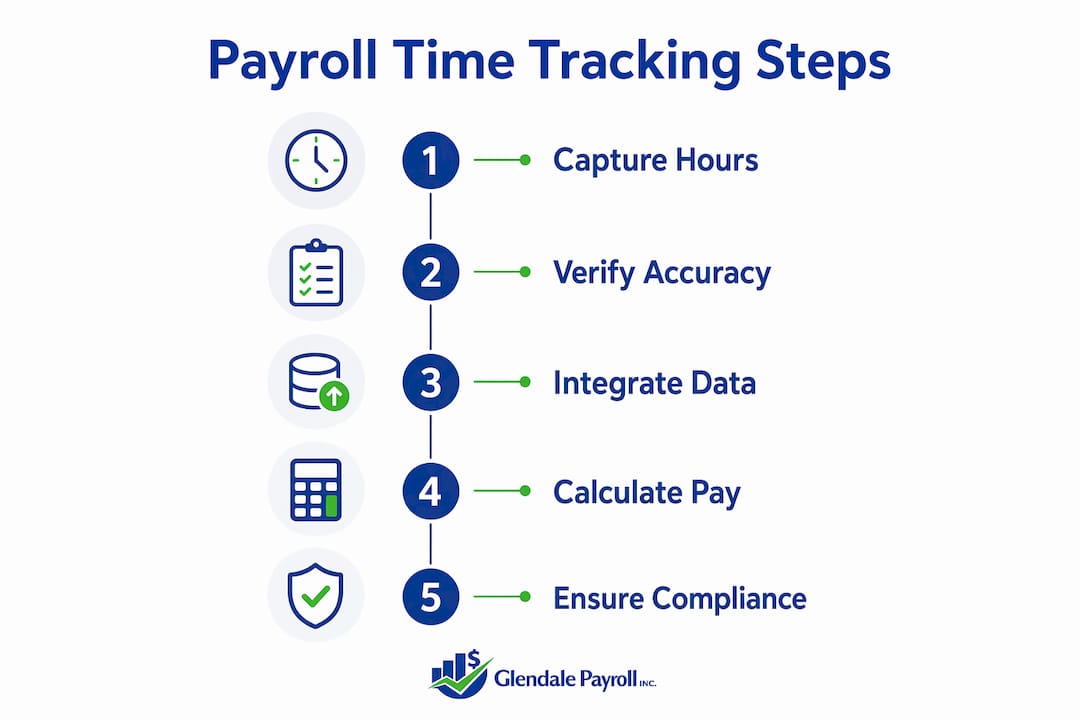
Time tracking in payroll is defined as the systematic recording of employee work hours and the direct integration of that data into wage calculations, tax withholdings, and compliance reporting. For small business owners, this process is the foundation of accurate payroll. Get it wrong, and you face underpayments, overpayments, labor law violations, and IRS penalties. Get it right, and you protect your business, your employees, and your bottom line.
How does time tracking improve payroll accuracy and reduce errors?
Payroll accuracy depends entirely on the quality of the hour data feeding into it. Manual time tracking can cost businesses 1–8% of total payroll expenses in errors alone. That range sounds wide, but even the low end adds up fast for a business with a $500,000 annual payroll.
Automated time tracking cuts that exposure significantly. Switching from paper timesheets or spreadsheets to a digital system reduces payroll corrections by up to 43%. Fewer corrections mean less time spent on payroll reconciliation and fewer disputes with employees over missed hours or miscalculated overtime.
The most common sources of manual payroll error include:
- Rounding errors on punch times that accumulate over a pay period
- Missed overtime hours when managers calculate totals by hand
- Duplicate entries when data moves from one system to another
- Forgotten shift adjustments for last-minute schedule changes
Each of these errors is preventable with automated time capture. Digital systems record clock-in and clock-out times to the minute, flag overtime thresholds automatically, and pass data directly to payroll without a manual export step.
Pro Tip: Set your time tracking system to alert managers when an employee approaches 40 hours mid-week. Catching overtime early lets you adjust scheduling before the cost is locked in.
The financial case for automation is clear. Payroll error reductions are measurable within the first fiscal quarter after implementation. That is a faster return than most small business technology investments deliver.
What compliance benefits does time tracking offer small businesses?
Time tracking is a compliance tool first and a productivity tool second. The Fair Labor Standards Act (FLSA) requires employers to keep accurate time records for at least three years and to compensate non-exempt employees correctly for all overtime hours worked. Failing to meet that standard exposes your business to back-pay claims, civil penalties, and Department of Labor audits.
California raises the stakes further. State labor law adds daily overtime rules, mandatory meal and rest break tracking, and split-shift premiums that federal law does not require. A business in Glendale, Burbank, or Pasadena that relies on handwritten timesheets is one audit away from a serious financial problem.
Accurate time records provide a defensible audit trail that protects you during wage-hour litigation. Courts and labor agencies look for documented evidence that employees were paid correctly. A digital time log with timestamps, manager approvals, and edit histories is far stronger evidence than a paper timesheet.
Accurate time tracking is a compliance enabler. It creates the documented record that federal and state labor laws require, and it gives employers concrete evidence of fair pay practices when disputes arise. In regulated states like California, that documentation is not optional. It is the difference between a resolved audit and a costly settlement.
The compliance benefits of proper time tracking include:
- Verified records for FLSA and California Labor Code requirements
- Documented meal and rest break compliance
- Accurate overtime calculations that hold up under scrutiny
- Reduced exposure to wage-hour class action lawsuits
Glendale Payroll works with businesses across Greater Los Angeles specifically because California's payroll compliance requirements are among the most demanding in the country. The right time tracking system makes meeting those requirements a routine process rather than a recurring crisis.
What are the practical challenges of implementing time tracking?
The biggest obstacle to time tracking adoption is not technology. It is employee perception. Workers who feel monitored rather than supported push back, log hours inconsistently, or find workarounds that undermine the data quality you need. Employees accept time tracking more readily when leadership frames it as a fairness and compliance tool rather than surveillance.
The framing matters more than most managers expect. When you explain that accurate time records protect employees from being underpaid and give them documented proof of hours worked, the conversation shifts. Time tracking becomes something the system does for employees, not to them.
A second common mistake is tracking too granularly. Overly detailed time tracking causes employee burnout and produces data that is too fragmented to be useful. A category-based, weekly tracking approach yields better compliance and better data quality than logging every task to the minute.
Pro Tip: Start with three to five broad work categories rather than task-level tracking. Employees fill out simpler records more accurately, and you get cleaner data for payroll without the administrative burden.
Practical steps for a successful rollout:
- Communicate the "why" before launch. Explain the connection between accurate hours and accurate paychecks.
- Train managers first. They set the tone for how employees experience the system.
- Run a parallel period. Keep your old process running alongside the new system for one pay cycle to catch discrepancies.
- Review and adjust. Check data quality after the first month and simplify any categories that employees find confusing.
Digital tools that include geofencing and flexible data visibility give you the location accuracy you need for field employees while protecting the privacy concerns that drive resistance. That balance is achievable with the right system configuration.
How does integrating time tracking with payroll software optimize operations?
Integration between time tracking and payroll software is the step that converts accurate hour data into accurate paychecks without manual intervention. Integrated systems eliminate manual entry steps, reduce payroll errors, calculate overtime correctly, and update paid time off balances automatically. The result is a payroll process that runs faster and requires fewer corrections.

The contrast with manual processing is significant. Manual payroll workflows require multiple exports, format conversions, and recalculations every pay period. Each step adds time and introduces another opportunity for error.
| Process step | Manual workflow | Integrated workflow |
|---|---|---|
| Hour collection | Paper or spreadsheet | Automatic digital capture |
| Data transfer | Manual export and re-entry | Direct system sync |
| Overtime calculation | Manager calculates by hand | System applies rules automatically |
| PTO balance update | HR updates manually | Updated in real time |
| Audit trail | Paper records, inconsistent | Digital log with timestamps |
| Error rate | High, compounds each period | Low, consistent |
The operational benefits extend beyond accuracy. Integrated systems scale with your business. Adding employees, new pay rates, or additional locations does not require rebuilding your process from scratch. The system handles the added complexity without adding administrative hours.
For small businesses in particular, the payroll automation benefits of integration show up quickly. Payroll staff spend less time on data entry and more time on exception handling, which is where human judgment actually adds value. That shift alone justifies the investment for most businesses within the first quarter of use.
Key Takeaways
Accurate time tracking is the single most effective control a small business can put in place to reduce payroll errors, meet labor law requirements, and protect itself from wage-hour disputes.
| Point | Details |
|---|---|
| Manual tracking is costly | Errors from manual methods can consume 1–8% of total payroll expenses each year. |
| Automation cuts corrections | Switching to digital time tracking reduces payroll corrections by up to 43%. |
| FLSA compliance requires records | Federal law mandates time records kept for at least three years with accurate overtime pay. |
| Integration removes manual steps | Connected time and payroll systems eliminate data re-entry and reduce per-period errors. |
| Employee framing drives adoption | Presenting time tracking as a fairness tool, not surveillance, increases accurate data entry. |
What I have learned from watching small businesses get this wrong
Working with employers across Glendale, Burbank, and Pasadena, I have seen the same pattern repeat. A business owner sets up a time tracking system, employees use it inconsistently for a few weeks, and then the owner quietly stops enforcing it because the friction feels like more trouble than it is worth. Six months later, a wage claim arrives, and the business has no documentation to defend itself.
The mistake is not the technology choice. It is the rollout. Owners who introduce time tracking without explaining its purpose to employees almost always face resistance. The ones who sit down with their team, explain that accurate records protect everyone, and show employees how to use the system correctly get consistent data from day one.
I also see businesses track too much too soon. They want minute-by-minute task logs when weekly category totals would give them everything they need for payroll and compliance. Simpler systems get used. Complex ones get abandoned.
The ROI question comes up often, and the answer is consistent. Payroll accuracy improvements show up within the first quarter. You do not need to wait a year to know whether the system is working. Run your first post-implementation payroll and count the corrections. If that number drops, the system is earning its cost.
My strongest recommendation is to treat time tracking as a pay accuracy commitment to your employees, not an administrative requirement imposed on them. That mindset shift changes how you communicate it, how you enforce it, and how your team responds to it. The businesses that get this right do not have time tracking problems. They have a reliable process that runs quietly in the background while they focus on growing.
— Glendale Payroll Staff
How Glendale Payroll helps you get payroll accuracy right
Payroll accuracy starts with reliable hour data, and Glendale Payroll builds that connection for small businesses across Greater Los Angeles.

Glendale Payroll's dedicated payroll professionals, not call center staff, review your time data, apply California-specific rules, and process payroll with the accuracy your business requires. Whether you are managing hourly employees in Glendale or a mixed workforce across multiple locations, the team handles overtime calculations, PTO tracking, and compliance documentation so you do not have to. Explore the payroll tips for California businesses on the Glendale Payroll site, or review the full range of payroll services to find the right fit for your operation. A free payroll audit is available to identify gaps before they become penalties.
FAQ
What is the role of time tracking in payroll?
Time tracking captures employee work hours and feeds that data directly into payroll calculations, ensuring wages, overtime, and deductions are computed accurately. Without reliable hour data, payroll errors are unavoidable.
How does time tracking affect payroll compliance?
The FLSA requires employers to maintain accurate time records for at least three years and pay overtime correctly. Digital time tracking creates the documented audit trail that satisfies those requirements and protects against wage-hour disputes.
What are the biggest mistakes small businesses make with time tracking?
The two most common mistakes are failing to explain the purpose of time tracking to employees and setting up systems that are too detailed to use consistently. A category-based, weekly tracking approach produces better data with less resistance.
How quickly does time tracking software pay for itself?
Payroll error reductions from automated time tracking typically appear within the first fiscal quarter after implementation. That makes it one of the faster-returning investments available to small business owners.
Does time tracking help with California-specific payroll rules?
Yes. California requires daily overtime tracking, meal and rest break documentation, and split-shift premium calculations that go beyond federal requirements. An integrated time tracking system applies these rules automatically and maintains the records needed for state labor audits.
Recommended
- How Payroll Automation Saves Small Businesses Time and Money | Glendale Payroll Inc.
- Benefits of Integrated Payroll Solutions for Small Businesses | Glendale Payroll Inc.
- Payroll Process Documentation: A Guide for Small Business | Glendale Payroll Inc.
- Payroll Date Management: A 2026 Guide for Small Businesses | Glendale Payroll Inc.